Your agents' logs
The session logs your coding agents already keep on your disk: Claude Code, Codex CLI, Cursor and 59 more.
Tracker
Tokscale reads the session logs your coding agents already keep and shows tokens, models, and estimated cost on your machine. Submit when you want a public profile.
bunx tokscale@latest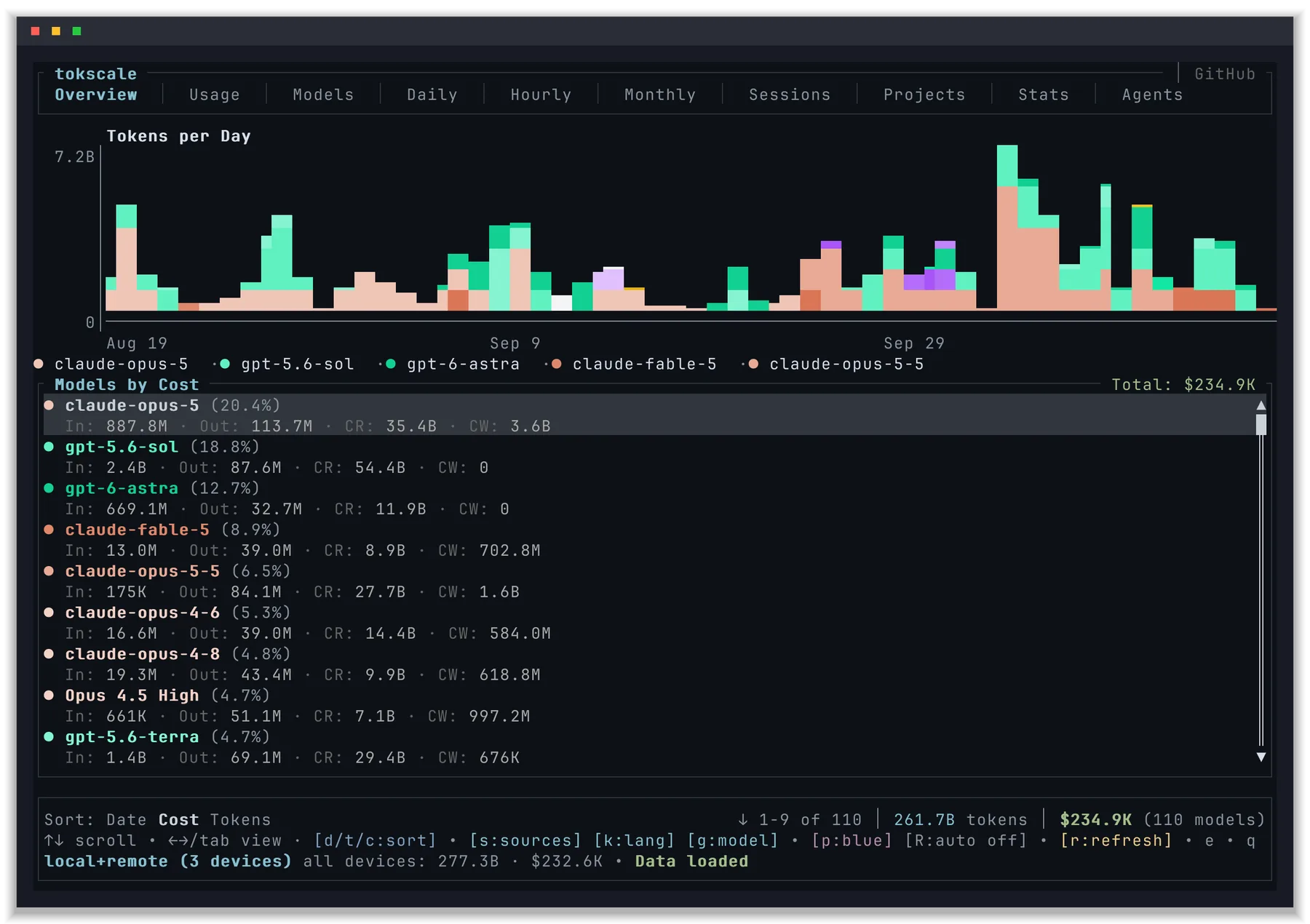
How It Works
Tokscale runs on your machine. Only counts cross to tokscale.ai, and only when you submit.
The session logs your coding agents already keep on your disk: Claude Code, Codex CLI, Cursor and 59 more.
Opens a terminal dashboard of your usage across agents, models, days, and sessions. Your usage data stays on your machine.
bunx tokscale@latesttokscale submitsends counts, never content
Sign in with GitHub once, then submit, or let your scheduler submit every 24 hours. Add --dry-run to preview the payload first. Your profile lives at tokscale.ai/u/your-username.
tokscale logintokscale submittokscale autosubmit enableTerminal UI
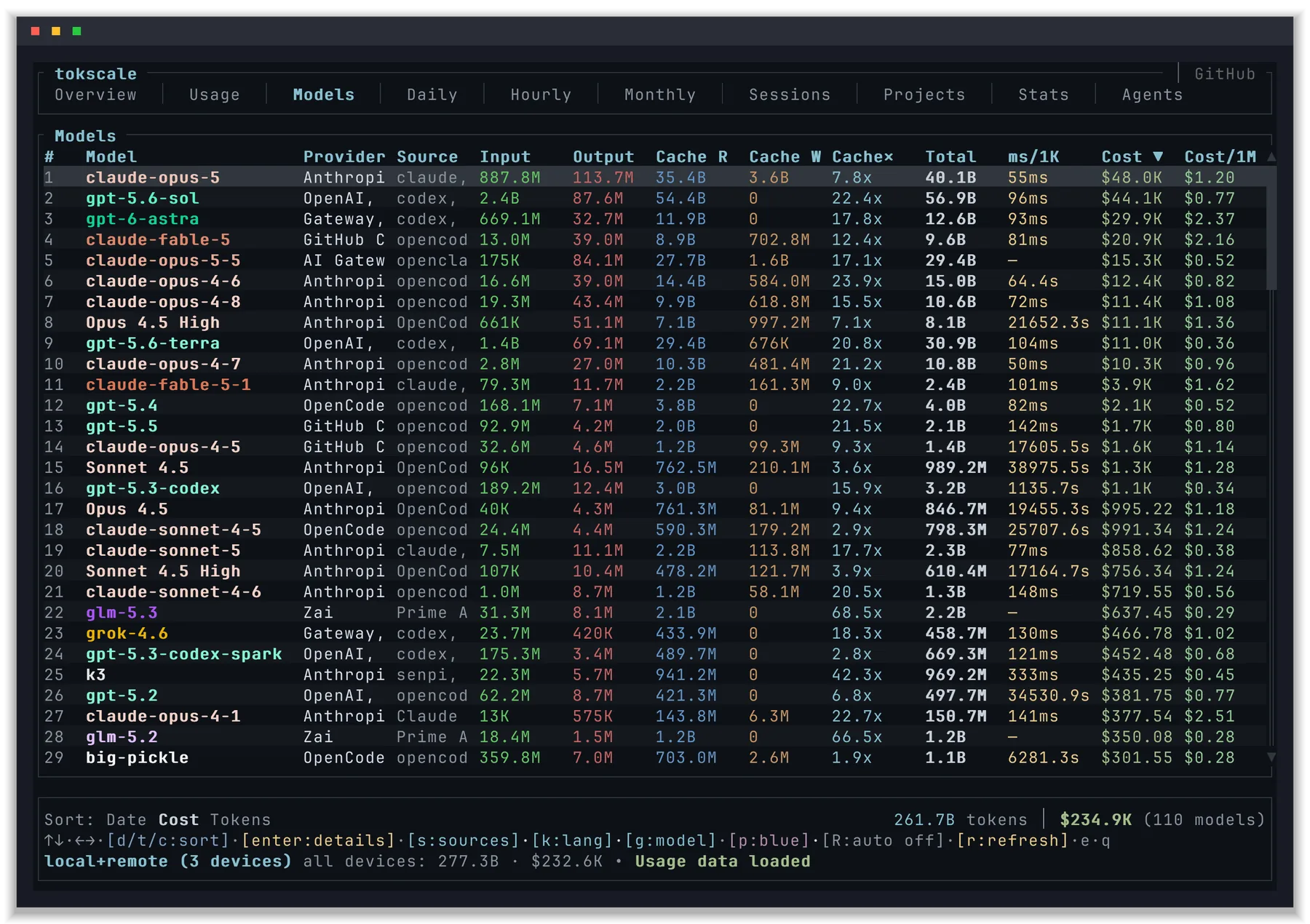
Six of its views. In the app, switch views with the arrow keys or Tab.
Tokens per day by model, and every model ranked by estimated cost.
Supported Agents
Tokscale reads local logs from 62 coding agents and AI clients.
 Claude Code
 Codex CLI
 Cursor
 Gemini CLI
 OpenCode
 Copilot
 Amp
 Droid
 Cline
 Roo Code
 Kilo
 Zed Agent
 Goose
 Kimi
 Qwen
 Warp
 9Router
 AntigravityAntigravity CLIAntigravity IDE Extension
 Aside
 Augment Code
 BB
 Cherry Studio
 CodeBuddy
 Codebuff
 Command Code
 Crush
 DeepSeek Harness
 Devin CLIDevin Desktop
 Freebuff
 Fx
 Gajae Code
 Grok Build
 Hermes Agent
 Hindsight
 Jcode
 Junie
 Kimchi
 Kiro
 LM Studio
 MiMo Code
 MiniMax Code
 Mistral Vibe
 Muse Code
 Mux
 Oh My Pi
 OpenClaw
 OpenCodeReview
 Pi
 Prime Agent
 PromaQoder
 Reasonix
 Senpi (OmO Native)Synthetic
 Trae
 Unsloth
 WorkBuddy
 Xiaomi MiMo AI
 ZCode
Your Data
Full details are in the privacy policy.
FAQ
No. The terminal UI runs on your machine and reads local files. You only sign in with GitHub when you want to submit usage to a public profile.
It reads your agents' local session files to count tokens, but it never sends prompts, responses, code, file names, or API keys. Run tokscale submit --dry-run to see exactly what a submission contains.
Tokscale multiplies token counts by public list prices from LiteLLM, with OpenRouter as a fallback. It is an estimate. Subscriptions, discounts, and free tiers are not reflected.
Yes. tokscale autosubmit enable schedules the normal submit with your operating system scheduler, every 24 hours by default. Pass --interval to change it, and tokscale autosubmit disable to remove it.
Open Settings on tokscale.ai. You can delete your submitted data and keep the account, or delete the account and everything linked to it. Both take effect immediately.
No account needed to look at your own usage.
bunx tokscale@latest